Ten pages a day, read together.
BookWit turns a daily reading goal into a school-wide team effort. Students get an app they actually want to open. Staff get totals, not surveillance.
Why 10 a Day
Ten pages is small enough to fit into any day and big enough to add up: a few books a term for every student. BookWit started with one principal's push for ten pages a day, and it's built so that kind of goal runs without a spreadsheet.
Students track their own reading in the app. Each homeroom's pages add up to a shared total, and challenges give the whole school something to read toward, like a Friday read-in.
Setting up takes one sitting
- Create your school. Sign in, name your school, and set the daily goal in pages.
- Add homerooms. Each one gets its own join code. There's also a whole-school code for students without a homeroom.
- Print the posters. One page per homeroom, with a QR code. Hang them by the door or put them on the projector. Students scan with their iPhone camera and land in their homeroom.
- Invite teachers. Share the staff code from Settings. Teachers sign in, enter it, and see the same totals you do.
- Start a challenge. Set a page goal for a homeroom or the whole school. Students see it live on their Today screen and Home Screen widget.
What students see
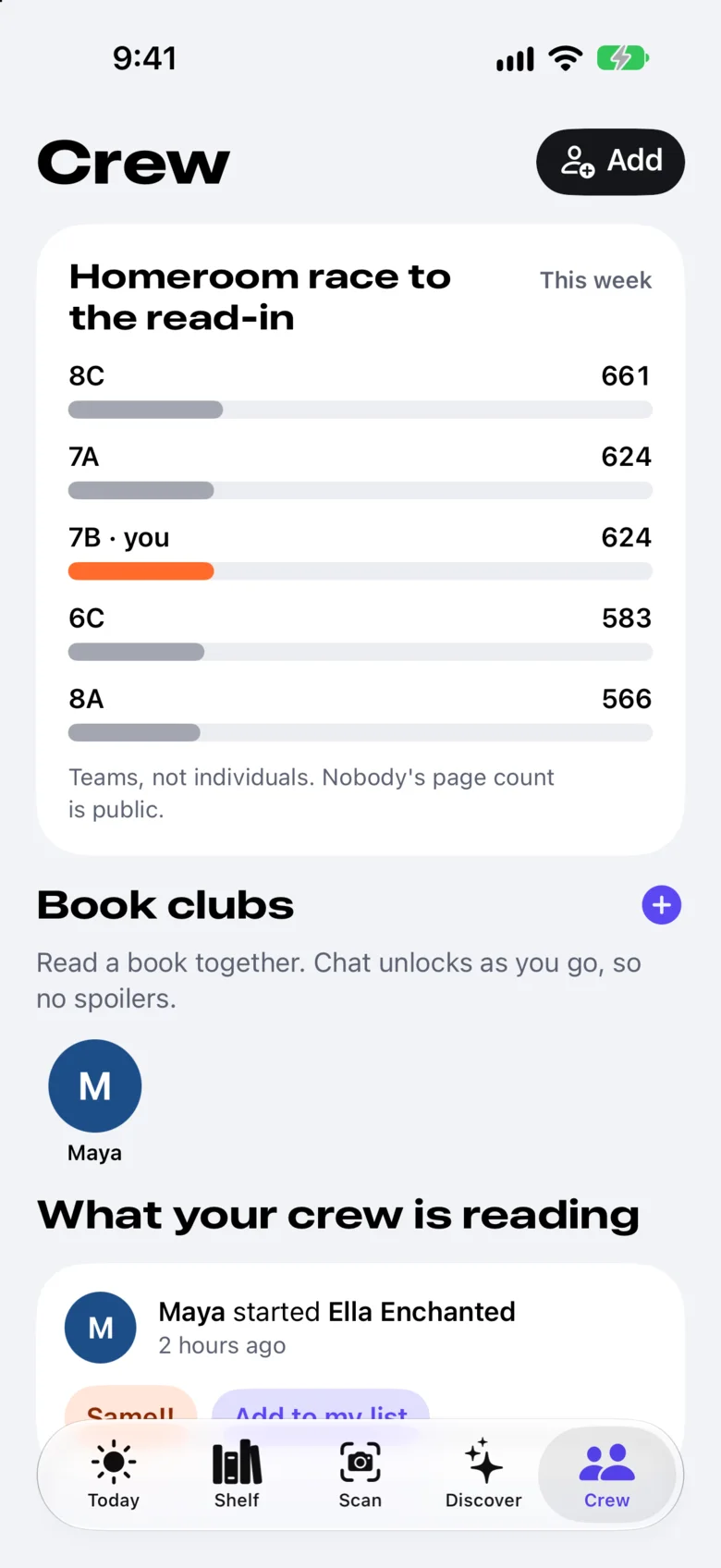
Their own shelf, goal and streak, plus the live race between homerooms. Homerooms are ranked; students never are.
- Their homeroom's place in the current challenge.
- Their own pages and streak, visible only to them (and a linked parent).
- Book clubs and friends, with a parent's approval for under-13s.
What staff see
The dashboard shows sums for the school and each homeroom: pages per day, pages in the last seven days, how many students have joined, the books being read, and challenge progress. There's a recap ready for Friday announcements.
| Homeroom | Pages this week |
|---|---|
| 8C | 661 |
| 7A | 624 |
| 7B | 624 |
| 6C | 583 |
An example from the demo school. Real dashboards show your homerooms.
Staff can't open a student's account, and can't see anyone's notes, quotes, reviews or individual page counts.
Student privacy
- Totals only. Staff see sums per school and homeroom. There's no way to look up one student's reading.
- Under 13. Friends and book clubs stay locked until a parent links the account, and the parent approves each friend.
- On-device AI. Recaps and quizzes run on the student's iPhone. Their notes aren't sent anywhere.
- No ads. We never sell or share student data.
Read the full privacy page. Please have your district review it against COPPA, FERPA and your state's student-privacy law before rolling out.
Questions
What does it cost?
Starting a school is free.
Do students need school email accounts?
No. Students sign in with an email or Sign in with Apple, and join your school with the poster's code.
Can teachers see who's reading?
Teachers see totals for each homeroom, not individual students. That's on purpose: the goal is a shared effort, not a scoreboard.
What about students without an iPhone?
BookWit is iPhone-only for now. Students without one can still read toward the goal; they just won't show up in the totals yet.
Can a district use BookWit?
Yes. Add the district when you create your school. If you're planning several schools, get in touch and we'll help.